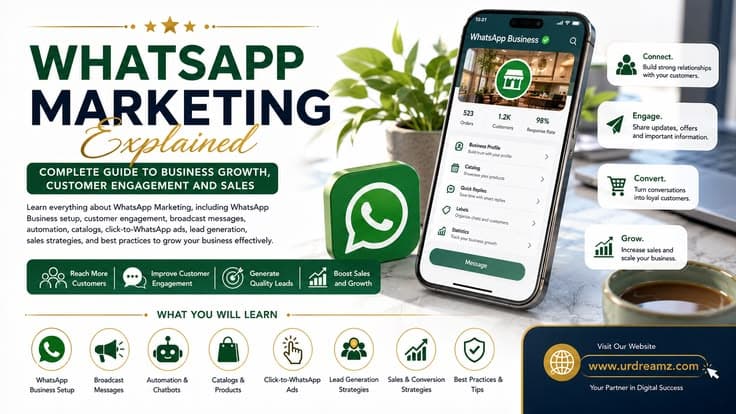
WhatsApp Marketing Explained: Complete Guide to Business Growth, Customer Engagement and Sales
WhatsApp is the most-used messaging app on the planet, and for a business, it has quietly become one of the highest-performing marketing channels available - message open rates that regularly reach the high nineties, direct one-to-one conversations instead of a crowded feed, and a genuine path from first message to paying customer. This guide is written so a complete beginner can go from "I've never touched WhatsApp for business" to confidently setting up an account, launching real ads, and understanding exactly what traffic, engagement, and sales actually mean in this specific channel - without ever needing to go looking anywhere else.
This guide is part of a larger Digital Marketing Learning Center and connects naturally with: Blogger vs WordPress, Amazon Associates: Complete Guide to Affiliate Marketing, SEO for Beginners, Digital Marketing Explained, Content Marketing Complete Guide, Email Marketing Explained, Social Media Marketing Explained, Facebook Marketing Explained, Instagram Marketing Explained, Pinterest Marketing Explained, LinkedIn Marketing Explained, How to Run YouTube Ads, and TikTok Marketing Explained.
1. What Is WhatsApp Marketing?
WhatsApp marketing is the practice of using WhatsApp - either the free Business app or the more advanced Business API - to promote products, answer customer questions, send updates, and close sales directly through one-to-one or broadcast messaging. Unlike a social media post that competes for attention in a crowded feed, a WhatsApp message lands directly in someone's personal inbox, the same place they talk to friends and family, which is exactly why it gets read, and acted on, so much more reliably than most other channels.
2. Why WhatsApp Marketing Works So Well
WhatsApp has well over two billion active users worldwide, and business messages sent through it commonly see open rates reported as high as the high nineties, with click-through rates on offers and promotions frequently landing far above what email or social ads typically achieve. The reason is simple: people check WhatsApp constantly throughout the day out of habit, so a well-timed, relevant business message rarely goes unnoticed the way a promotional email buried in an inbox often does.
3. The Three Types of WhatsApp for Business
There are really three distinct versions of WhatsApp worth understanding before doing anything else: the regular personal WhatsApp app, which isn't designed for business use at all; the free WhatsApp Business app, built for small and solo businesses; and the WhatsApp Business API, a more powerful, developer-connected version built for larger businesses that need automation, multiple team members answering chats, and integration with a CRM.
4. WhatsApp Business App Explained
The WhatsApp Business app is a free, standalone app you download directly from the App Store or Google Play, separate from your personal WhatsApp. It includes a business profile, a product catalog, quick replies, automated greeting and away messages, labels for organizing chats, and basic broadcast messaging to up to 256 contacts at once. For a solo entrepreneur, a local shop, or a small service business, this free app alone is often genuinely enough to run a complete WhatsApp marketing strategy.
5. WhatsApp Business API Explained
The WhatsApp Business API is not a downloadable app at all - it's a connection that lets approved business platforms send and receive WhatsApp messages programmatically, enabling proper chatbots, multi-agent shared inboxes, large-scale broadcast campaigns, and direct CRM integration. Access to the API goes through Meta-approved partners (often called BSPs, or Business Solution Providers) rather than directly from Meta, and it's generally the right choice once a business has outgrown what the free app can realistically handle.
6. Business App vs Business API: Which Do You Need?
| Factor | WhatsApp Business App | WhatsApp Business API |
|---|---|---|
| Cost | Free | Usage-based, paid through a provider |
| Best for | Solo entrepreneurs, small local businesses | Growing businesses and teams |
| Broadcast limit | Up to 256 contacts per list | Effectively unlimited, based on plan and messaging limits |
| Automation | Basic greeting, away messages, quick replies | Full chatbots and workflow automation |
| Multiple users | Limited to a few linked devices | True multi-agent shared inbox |
7. Key Benefits of WhatsApp Marketing
Before diving into setup, it's worth being clear-eyed about exactly why this channel earns a place in a serious marketing strategy rather than being treated as an afterthought behind email or social media.
8. Benefit: High Open and Response Rates
Because WhatsApp messages arrive in the same inbox as messages from friends and family, they get opened and read at a rate most other channels simply can't match, which directly translates into more people actually seeing your offer instead of it sitting unopened.
9. Benefit: Direct, Personal Communication
WhatsApp conversations feel like talking to a real person rather than reading a mass advertisement, and that perception alone makes customers more comfortable asking questions, raising objections, and ultimately deciding to buy.
10. Benefit: Cost-Effective Reach
The Business app itself is completely free, and even the paid API and click-to-WhatsApp ads tend to deliver a strong return relative to spend, since the conversations that follow often close sales more efficiently than a cold landing page ever could.
11. Benefit: Stronger Customer Relationships and Trust
Ongoing, personalized conversations - not just one-off promotional blasts - build the kind of familiarity that turns a first-time buyer into a repeat customer, since people naturally trust a business they've had a real back-and-forth conversation with.
12. Benefit: Higher Conversion Potential
Because WhatsApp lets a customer ask a question and get an immediate answer, it removes the hesitation and friction that often kills a sale on a website or in an email - which is exactly why conversion rates on WhatsApp-driven conversations tend to run higher than most other channels.
13. How to Create a WhatsApp Business Account
Download the WhatsApp Business app, open it, and verify a phone number - ideally a dedicated business number separate from your personal WhatsApp, since a number can only be used on one or the other. Once verified, you'll be guided straight into setting up your business profile before you can start messaging customers.
14. Setting Up Your Business Profile
Add your business name, a clear logo as your profile photo, a short description of what you offer, your business category, hours of operation, physical address if relevant, website link, and email. A complete, professional-looking profile is what makes a customer feel confident they're messaging a legitimate business rather than an unknown personal number.
15. Getting Your Business Verified
Business verification (sometimes shown as a green confirmed badge, with an official green tick reserved for larger verified brands) is applied for through your business profile settings and requires accurate business details matching public records. Verification isn't required to start messaging customers, but it does add a visible layer of trust, especially for businesses that don't yet have wide brand recognition.
16. Setting Up a Product Catalog
Inside Business Tools, add a Catalog and upload each product or service with a photo, name, price, and short description. Once built, you can share individual catalog items directly inside a chat, letting a customer browse and ask about specific products without ever needing to leave the conversation.
17. Quick Replies Explained
Quick Replies let you save a shortcut for a commonly typed answer - shipping times, pricing, store hours - so you can respond to repetitive questions in seconds instead of retyping the same answer dozens of times a day.
18. Greeting Messages and Away Messages
A Greeting Message automatically welcomes anyone messaging you for the first time or after a period of inactivity, while an Away Message automatically responds outside your business hours so no customer is left wondering if they've been ignored, even when nobody is actively at the keyboard.
19. Using Labels to Organize Conversations
Labels let you tag chats - "New Customer," "Order Placed," "Follow Up," "VIP" - so a growing volume of conversations stays organized instead of turning into an unmanageable, undifferentiated inbox once your business starts getting real volume.
20. WhatsApp Broadcast Lists Explained
A Broadcast List lets you send the same message to multiple contacts at once, with each person receiving it as a private, individual message rather than a group chat - recipients won't see each other or reply to each other, which keeps things clean. The Business app limits broadcast lists to 256 contacts, and importantly, a person will only receive your broadcast if they already have your business number saved in their own contacts.
21. WhatsApp Groups Explained
A Group is a shared space where every member can see and reply to every message, making it better suited to building a small, interactive community - a customer support group, a paid course cohort, a local business network - than to one-way promotional broadcasting, since anyone in the group can jump into the conversation at any time.
22. WhatsApp Channels Explained
Channels are a one-way broadcasting tool where a business can post updates, offers, and announcements to an unlimited number of followers, who can react but not reply publicly or see each other - functioning much like a mix between a broadcast list and a public social media page, without the 256-contact limit that broadcast lists carry.
23. WhatsApp Communities Explained
Communities let a business group multiple related groups together under one umbrella - for example, separate groups for different product lines or regions - while still being able to send one announcement that reaches every group inside that community at once, combining some of the organization of separate groups with the reach of a single broadcast.
24. Groups vs Channels vs Broadcast Lists vs Communities: Which Is Best?
| Format | Best Used For | Limitation |
|---|---|---|
| Broadcast List | Private, personalized promotions to existing customers | Capped at 256 contacts; requires being saved in their contacts |
| Groups | Interactive community building and two-way discussion | Can become noisy and hard to moderate at scale |
| Channels | One-way announcements to a large, unlimited following | No direct reply from followers, purely broadcast |
| Communities | Managing several related groups under one umbrella | More setup and ongoing moderation effort |
There is no single "best" answer here - it depends entirely on your goal. For pure reach and announcements at scale, Channels currently win. For close, two-way relationship building with a smaller, dedicated audience, Groups or Communities are the better fit. For personalized, direct promotional messaging to people who already know your business, a Broadcast List remains the simplest and most private option.
25. How to Run WhatsApp Ads: Where You Actually Go
WhatsApp advertising happens through Click-to-WhatsApp ads, built and managed inside Meta Ads Manager at business.facebook.com, the exact same platform used for Facebook and Instagram ads. There's no separate "WhatsApp Ads Manager" - it's simply a destination option chosen while building a regular Meta ad campaign.
26. Linking Your WhatsApp Number to Meta Business Suite
Inside Meta Business Suite, go to Business Settings, then WhatsApp Accounts, and connect the business phone number you want customers to message when they click your ad. This link is what allows Meta's ad system to actually open a real WhatsApp conversation the moment someone taps your ad.
27. Setting Up Billing and Paying Meta
Payment for WhatsApp ads is handled exactly like any other Meta ad campaign, under Business Settings, then Payments. Meta typically accepts major credit and debit cards, and in many regions also supports PayPal; once added, Meta charges the account automatically based on either a spending threshold or a monthly billing cycle, and no click-to-WhatsApp campaign can go live until a valid payment method is confirmed.
28. Step 1: Choosing Your Campaign Objective
When creating a new campaign in Ads Manager, select an objective that supports WhatsApp as a destination - commonly Engagement or Leads - which then unlocks WhatsApp specifically as a place to send clicks, rather than a website or app.
29. Step 2: Setting Your Budget and Schedule
Choose either a daily or lifetime budget and set your campaign's start and, optionally, end date. As with other Meta ad campaigns, a daily budget is a target average rather than a fixed daily cap, so spend may vary slightly day to day while balancing out over time.
30. Step 3: Defining Your Audience
Target by location, age, gender, interests, and behaviors, or use a custom audience built from your existing customer list or website visitors. As with most paid platforms, a reasonably broad starting audience tends to give the algorithm more data to optimize with than an overly narrow one right out of the gate.
31. Step 4: Choosing Ad Placements
Click-to-WhatsApp ads can run across Facebook Feed, Instagram Feed and Stories, and Messenger, all leading to the same outcome - tapping the ad opens a WhatsApp conversation with your business already pre-filled with a starter message.
32. Step 5: Uploading Your Ad Creative
Upload your image, video, or carousel directly into the ad creation screen, following the same creative specs as a standard Facebook or Instagram ad. The creative's only real job here is to earn the tap - the actual sales conversation happens afterward, inside WhatsApp itself.
33. Step 6: Writing Your Message and Call-to-Action
Set the button text (commonly "Send Message") and write a short, pre-filled greeting that will automatically appear in the customer's message box when they open the chat, giving them a natural, low-effort starting point instead of an intimidating blank message field.
34. Step 7: Review and Launch
Double-check your objective, budget, audience, placements, and creative on the final review screen before publishing. Once launched, the ad enters Meta's standard review process, typically completed within about a day, before it starts actively serving.
35. Minimum and Maximum Daily Budget for WhatsApp Ads
Meta doesn't publish one universal fixed minimum, but in practice most ad sets require a daily budget in at least the low single digits of dollars to remain eligible to deliver, and a realistic, effective starting budget for a small business is often closer to five to twenty dollars a day to gather enough data within the first week or two. There is no official maximum - large advertisers routinely spend far beyond this - so the only real ceiling is what your own budget and payment method allow.
36. Which Ad Format Performs Best: Video, Poster or Voice?
Video generally earns the strongest overall engagement for click-to-WhatsApp ads, since motion and sound naturally capture attention while scrolling. Poster-style static image ads remain a strong, budget-friendly second choice, especially for straightforward product promotions. Voice-based content isn't currently a native paid ad format on Meta's platforms, but voice notes are an increasingly effective tool once a conversation has already started inside WhatsApp itself, adding a personal touch that plain text can't replicate.
37. Video Ads Explained
A strong WhatsApp-destined video ad should hook attention in the first three seconds, clearly show the product or service in action, and end with an unmistakable prompt to tap and send a message - short, punchy, and vertical tends to outperform longer, horizontally-shot creative on mobile-first placements like Feed and Stories.
38. Poster (Image) Ads Explained
A good poster-style ad keeps text minimal, uses a clean, high-quality product image, includes a single clear offer, and features an unmistakable call-to-action button rather than burying it in a cluttered design - the same "less is more" principle that separates a professional-looking promotion from an amateur one.
39. Voice Note Style Content Explained
Once inside an actual WhatsApp conversation, a short, personal voice note - explaining a product detail, thanking a customer, or following up on an inquiry - can meaningfully boost trust and warmth compared to plain text, since it reintroduces a real human voice into what would otherwise be an entirely text-based exchange.
40. Automating Your First Response
Whether through the Business app's built-in Greeting Message or a full chatbot connected via the Business API, automating the very first response ensures nobody who messages your business - especially right after clicking an ad - is left waiting in silence, which is often the single biggest reason an interested lead goes cold before a human even gets a chance to reply.
41. WhatsApp Business API Providers (BSPs) to Know
Since Meta doesn't offer direct self-serve access to the full Business API, most growing businesses go through an approved Business Solution Provider such as WATI, AiSensy, Interakt, or Brevo, each offering broadcast tools, chatbot builders, and multi-agent inboxes layered on top of the official API - the right choice usually depends on budget, required automation depth, and whether CRM integration is a priority.
42. Message Categories: Marketing, Utility and Service
WhatsApp Business messaging splits into three official categories: Marketing messages (promotions, offers, announcements), Utility messages (order confirmations, shipping updates, appointment reminders), and Service messages (direct replies to a customer-initiated conversation). Each category is treated differently by WhatsApp's policies and, on the API, priced differently, so understanding which category a message falls into matters both for compliance and for cost planning.
43. The 24-Hour Customer Service Window Rule
Once a customer messages your business, you have a 24-hour window to reply freely with a standard message. After that window closes, any further outbound message must use a pre-approved message template, a rule designed specifically to prevent businesses from messaging people indefinitely without an active, ongoing conversation.
44. What "Traffic" Means in WhatsApp Marketing
In this specific channel, traffic refers to the number of people who actually click your ad or link and land inside an open WhatsApp conversation with your business - the WhatsApp equivalent of a website visit, and the very first measurable step in the entire funnel.
45. What "Engagement" Means in WhatsApp Marketing
Engagement means real back-and-forth activity once someone is in that conversation - replying to your greeting, asking a question, browsing your catalog, or reacting to a channel post - the signal that a contact isn't just present but genuinely interested.
46. What "Sales" Means in WhatsApp Marketing
Sales is the final, most important stage - a customer actually completing a purchase, whether that happens directly through a catalog order, a payment link sent in-chat, or a conversation that closes with a confirmed order taken manually by a team member.
47. WhatsApp Analytics: What to Track
The Business app provides basic statistics on messages sent, delivered, read, and received, while the Business API and most BSP platforms add deeper data like response times, conversation volume by label, and broadcast open rates. Track these numbers regularly rather than only glancing at them occasionally, since a steady decline in read rates or response times is often the earliest warning sign that a broadcast list needs refreshing or a message style needs to change.
48. Building a Permission-Based Contact List
WhatsApp enforces real consent requirements - you genuinely need explicit permission before sending marketing messages, collected through a website opt-in form, a checkout step, an in-store sign-up, or a keyword-based campaign. Skipping this step isn't just a policy risk, it also produces a list full of uninterested recipients who are far more likely to block or report your business.
49. Segmenting Your Audience
Use labels or a connected CRM to group contacts by behavior or status - new lead, repeat customer, VIP, inactive - and tailor messaging to each group rather than sending one identical broadcast to everyone. A repeat VIP customer and a brand-new lead simply don't need, or want, the same message.
50. Content Ideas Worth Sharing
New product launches, limited-time offers, order and shipping updates, quick tips or how-to guides, customer testimonials, and genuine behind-the-scenes glimpses of the business all give a WhatsApp audience a reason to keep paying attention beyond pure sales pitches.
51. Best Practices to Avoid Spam and Bans
Always get explicit opt-in before messaging, keep messages short and genuinely valuable rather than constant hard-selling, respect the 24-hour messaging window and approved templates, and never purchase contact lists - WhatsApp actively monitors block and report rates, and accounts that trigger too many of either can be restricted or banned entirely.
52. Common WhatsApp Design Mistakes to Avoid
The most damaging visual mistakes include cramming too much text into a single image, using blurry or low-quality photos, mixing too many inconsistent colors, and leaving out a clear call-to-action entirely - each one quietly reduces how professional, and therefore how trustworthy, a promotional message appears at first glance.
53. Principles of Good WhatsApp Creative Design
A clean, simple layout, high-quality images, consistent branding colors and fonts across every message, and one unmistakable call-to-action button consistently produce stronger engagement and more inquiries than a busy, cluttered design trying to say everything at once.
54. Industries That Benefit Most from WhatsApp Marketing
Ecommerce and retail, education and training, real estate, healthcare, hospitality and travel, and coaching or consulting businesses all consistently report strong results with WhatsApp marketing, largely because each involves a genuine back-and-forth conversation - questions, customization, scheduling - that a purely one-way ad or email simply can't replicate as naturally.
55. WhatsApp Marketing for Ecommerce
Ecommerce brands specifically benefit from WhatsApp through abandoned cart recovery messages, automated order confirmations and shipping updates, and direct catalog-based selling inside the chat itself - turning what would otherwise be a silent, abandoned checkout into a real, recoverable conversation with a human touch.
56. Common WhatsApp Marketing Mistakes
- Messaging contacts who never actually opted in
- Sending pure promotions with no real value in between
- Ignoring the 24-hour reply window and template requirements
- Using an unverified, unbranded number that looks untrustworthy
- Never reviewing analytics to see what's actually working
57. Complete WhatsApp Marketing Checklist
| Category | Checklist Items |
|---|---|
| Setup | Business app or API chosen, profile completed, catalog uploaded, verification requested |
| Automation | Greeting message, away message, and quick replies configured |
| Compliance | Opt-in process in place, message categories understood, 24-hour rule respected |
| Advertising | Meta Business Suite linked, payment method added, first campaign launched |
| Analytics | Message stats reviewed regularly, underperforming broadcasts refreshed |
58. 30-Day Beginner Roadmap
| Week | Focus |
|---|---|
| Week 1 | Set up the Business app, complete your profile, and build your catalog |
| Week 2 | Start collecting opt-in contacts and send your first broadcast or Channel post |
| Week 3 | Launch your first small click-to-WhatsApp ad campaign and monitor early replies |
| Week 4 | Review analytics, refine your messaging and creative, and scale what's working |
59. Frequently Asked Questions
Is WhatsApp Business free?
Yes, the WhatsApp Business app is completely free to download and use; only the more advanced Business API, typically accessed through a paid provider, carries a cost.
How do I run ads that open WhatsApp?
Through click-to-WhatsApp ads built inside Meta Ads Manager, the same platform used for Facebook and Instagram ads, with WhatsApp selected as the destination.
How do I pay for WhatsApp ads?
Billing is added under Meta Business Suite's Payments section, accepting major cards and, in many regions, PayPal, exactly like any other Meta ad campaign.
Are Groups, Channels, or Communities best for marketing?
It depends on the goal - Channels suit large-scale one-way announcements, Groups suit close two-way community building, and Communities suit managing several related groups together.
What's the minimum daily budget for WhatsApp ads?
There's no single universal minimum, but a realistic starting budget for most small businesses sits somewhere in the five-to-twenty-dollars-a-day range.
Which ad format works best - video, poster, or voice?
Video generally earns the strongest engagement, static poster-style ads remain a strong budget-friendly option, and voice notes work best once inside an actual conversation rather than as a paid ad format itself.
60. Conclusion
WhatsApp marketing rewards exactly what it sounds like it should: genuine conversation. Set up a proper business profile, get real permission before messaging anyone, choose the broadcast format that actually fits your goal, and when you're ready to advertise, a click-to-WhatsApp campaign turns that entire system into a direct, measurable path from a stranger's first tap to a real paying customer. Nothing in this guide requires a huge budget or a technical team to get started - just a phone, a free app, and the discipline to treat every message like an actual conversation rather than another advertisement.