Claude AI Explained 2026: Features, Projects, Artifacts, Claude vs ChatGPT, Claude vs DeepSeek, Coding, Content Writing and the Complete Beginner-to-Pro Guide
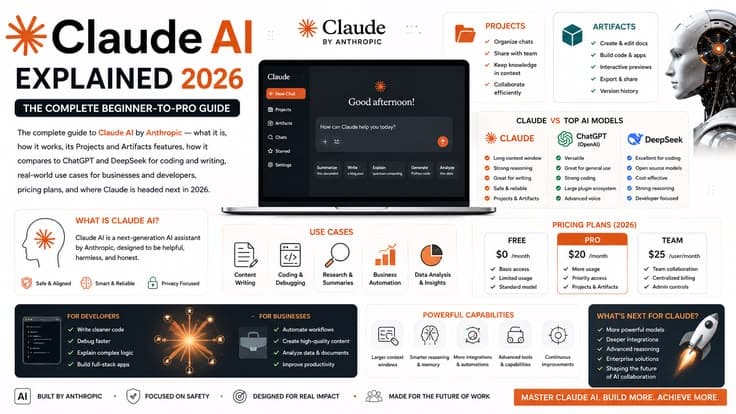
The complete guide to Claude AI by Anthropic — what it is, how it works, its Projects and Artifacts features, how it compares to ChatGPT and DeepSeek for coding and writing, real-world use cases for businesses and developers, pricing plans, and where Claude is headed next in 2026.
1. What Is Claude AI and How Does It Work
Claude is an advanced AI assistant and generative AI platform developed by Anthropic, the San Francisco-based artificial intelligence research company. It excels at complex reasoning, deep analysis, natural text generation, and coding, and people use it for everything from drafting emails and summarizing massive documents to building interactive apps and analyzing data. Unlike many AI tools that feel like simple question-and-answer machines, Claude is designed to function more like a thoughtful collaborator — one that can hold context across long conversations, reason through ambiguous problems, and produce work that reads as though a careful human wrote it.
Under the hood, Claude is powered by a Large Language Model (LLM) built on deep learning transformer architecture. These neural networks understand how words, ideas, and syntax relate to one another, generating highly accurate, human-like responses based on patterns learned from massive datasets of text and code. What genuinely sets Claude apart from many competing models is its training philosophy: Anthropic developed Claude using an approach called Constitutional AI — a system of written ethical principles built directly into the model's core. This approach is designed to make Claude helpful, honest, and safe, with the model evaluating its own responses against these principles to reduce harmful, biased, or unreliable output.
Another defining characteristic is Claude's context window — essentially its short-term working memory during a conversation. Claude's most capable models can process extremely large amounts of text in a single conversation, which means you can upload entire books, multiple lengthy PDFs, spreadsheets, or hours of meeting transcripts all at once, and Claude will reference all of that material simultaneously when generating its response. This capability alone differentiates Claude from many lighter-weight AI assistants that struggle once a conversation or document grows beyond a few pages.
Finally, Claude extends well beyond simple chat. It can generate interactive mini-applications and visualizations directly in your browser through a feature called Artifacts, connect to external data platforms like Google Drive or Slack through Connectors, and act as an autonomous coding assistant in your local development environment through Claude Code. Together, these capabilities transform Claude from a basic chatbot into what many users now describe as a genuine digital coworker.
| Attribute | Detail |
|---|---|
| Developer | Anthropic (founded 2021, headquartered in San Francisco) |
| Core Technology | Transformer-based Large Language Model (LLM) |
| Training Philosophy | Constitutional AI — built-in ethical principles guiding behavior |
| Primary Strengths | Writing quality, reasoning, coding, long-document analysis |
| Access Methods | Web (claude.ai), desktop app, mobile app, API, Claude Code |
| Key Differentiators | Projects, Artifacts, large context windows, agentic coding |
2. Claude Models Explained: Opus, Sonnet and Haiku
Anthropic organizes its Claude models into a family designed to balance intelligence, speed, and cost for different use cases. Rather than offering a single one-size-fits-all model, Claude is split into tiers so that users and developers can choose the right level of capability for any given task.
The Opus tier represents Claude's most capable and powerful models, designed for the most demanding reasoning, coding, and analysis tasks. These models are the ones most frequently benchmarked against competitors for complex software engineering challenges, deep research synthesis, and nuanced creative writing. The Sonnet tier sits in the middle, balancing strong intelligence with significantly faster response times and lower cost — making it the default choice for most everyday users and a popular choice for production applications built on the API. The Haiku tier is Claude's fastest and most lightweight model family, optimized for near-instant responses on simpler, high-volume tasks where speed and cost efficiency matter more than maximum reasoning depth.
| Model Tier | Best For | Speed | Relative Cost | Typical Use Case |
|---|---|---|---|---|
| Opus | Maximum reasoning and coding depth | Slower | Highest | Complex software architecture, deep research |
| Sonnet | Balanced everyday intelligence | Fast | Moderate | General chat, content writing, most coding tasks |
| Haiku | Speed and volume | Fastest | Lowest | Simple Q&A, classification, high-throughput tasks |
3. Claude AI Features Explained for Beginners
For someone new to Claude, the feature set can feel overwhelming at first glance, but the core experience is intentionally simple: you have a conversation, much like chatting with a knowledgeable coworker or friend. To get started, you navigate to Claude's website or download the desktop or mobile app, sign up for a free account, type your request — called a prompt — into the chat box, and hit send.
The single biggest factor separating a mediocre Claude response from an excellent one is specificity. Rather than typing something vague like "write me an email," a more effective approach states your goal, your desired tone, and any specific constraints — for example, "write a follow-up email to a client who missed our meeting, tone: friendly but firm, four sentences max." Claude is also exceptionally capable at reading and summarizing documents: clicking the paperclip icon or dragging and dropping files such as PDFs, spreadsheets, or images directly into the chat lets you ask Claude to condense a fifteen-page report into a single page highlighting the three most important decisions, for instance.
If Claude's first response isn't quite right, the correct approach is simply to continue the conversation rather than starting over — telling Claude what to change, such as making a draft more casual or removing bullet points, refines the output iteratively. Once a user feels comfortable with these basics, several more advanced features become valuable: Projects allow you to group related chats together and upload reference files so Claude remembers them across an entire workspace; Connectors link Claude to external tools like email or cloud drives to help you work faster; and Extended Thinking allows you to toggle on deeper reasoning for genuinely complex problems, letting Claude work through the problem more thoroughly before answering.
| Feature | What It Does | Who It's For |
|---|---|---|
| Standard Chat | Conversational Q&A, drafting, brainstorming | Everyone |
| File Uploads | Summarize/analyze PDFs, spreadsheets, images | Researchers, analysts, students |
| Artifacts | Generates code, docs, and interactive apps in a side panel | Developers, content creators |
| Projects | Persistent workspace with custom instructions and files | Repeated-task professionals, teams |
| Connectors | Links Claude to Drive, Slack, email, etc. | Business users, knowledge workers |
| Extended Thinking | Deeper reasoning before responding | Complex problem-solving tasks |
| Claude Code | Agentic coding directly in terminal/IDE | Software developers |
4. Claude Projects: The Complete Guide
Claude Projects serve as dedicated workspaces that let you combine custom instructions with a shared knowledge base of uploaded files to give Claude ongoing context across multiple chat sessions. Rather than re-explaining your brand voice, your codebase structure, or your research goals in every new conversation, a Project lets you set that context once and have Claude reference it automatically in every chat within that workspace.
Setting up a project starts with defining your foundation. Project instructions establish who Claude is acting as within that workspace, its tone, and its formatting rules — for instance, telling it to act as a senior software engineer who writes clean, commented code and always begins responses with a brief explanation of approach. Project knowledge is where you upload the actual reference material: style guides, API documentation, brand guidelines, or large datasets that Claude will draw on for every chat in that project. It's generally best practice to use clean markdown or plain text files rather than PDFs when possible, since language models tend to parse these formats more accurately.
Once the foundation is set, the recommended workflow is to use the project-level instructions and knowledge as your global baseline, while individual chat threads within the project handle specific tasks. This avoids repetition — because Claude already has the project-level context, you don't need to re-upload documents or redefine your brand voice in every new chat window. If you have a document relevant to only one specific task, it's better to upload it directly into that particular chat rather than cluttering the project's main knowledge base with material you'll only need once.
A useful rule of thumb for deciding whether a topic warrants a dedicated project: ask yourself whether you plan to chat with Claude about that specific topic — a website redesign, a book launch, an ongoing research effort — more than three to five times. If so, the organizational benefit of a project will likely outweigh the setup time. It's also worth periodically reviewing and removing unused files from a project's knowledge base, since outdated information left in place can distract Claude from what's currently relevant, and keeping instruction files concise helps maintain optimal performance, particularly for codebases.
| Project Element | Purpose | Best Practice |
|---|---|---|
| Project Instructions | Defines Claude's role, tone, and formatting rules | Be specific; include negative constraints (what to avoid) |
| Project Knowledge | Reference files Claude uses across all chats in the project | Use markdown/.txt over PDF when possible |
| Individual Chats | Task-specific conversations within the project | Use for one-off tasks; avoid re-uploading global context |
| Visibility Settings | Private vs. shared across a team/organization | Share for collaborative team workflows |
| Maintenance | Keeping the knowledge base current | Periodically remove outdated files |
5. Claude Artifacts Explained with Examples
Claude Artifacts are interactive, self-contained workspaces generated by Claude that appear in a dedicated side panel alongside your main chat. Instead of burying long code snippets, documents, or designs inside the back-and-forth of a chat conversation, Artifacts separate your actual working files from the conversation itself, letting you view, edit, iterate on, and share them independently. Artifacts are typically triggered automatically when Claude generates content that is sufficiently long or represents a complex, reusable asset — a full webpage, a lengthy report, a data visualization, or a piece of code.
There are three broad categories of artifacts that cover the vast majority of real-world use cases. The first is interactive apps and widgets: because Artifacts can render HTML, CSS, and JavaScript (including full React components), you can prompt Claude to build fully functional, runnable micro-applications directly in the browser without writing a line of code yourself — examples include custom pomodoro timers, budgeting calculators, fully playable browser games, or interactive landing page mockups. The second category is data visualizations: Claude can map data or processes into clean visual formats such as SVG vector graphics, interactive charts and graphs, logic flowcharts, or project timelines. The third category is text and documents: for long-form writing or reference material, an Artifact functions as a clean, distraction-free page — useful for contract drafts, comprehensive research reports, slide deck outlines, or structured manuals.
To get the most out of artifacts, the key technique is iteration through natural language — rather than starting over, you simply tell Claude what to change about an existing artifact, such as switching a dashboard to dark mode or adding a new metric. Once an artifact is finished, you can copy the raw underlying code, download the document, or in many cases generate a shareable public link so others can view your interactive tool even without their own Claude account. On paid plans, certain artifacts can also be made persistent, meaning they can pull live data from your project files and store information like scores or journal entries across multiple sessions over time.
| Artifact Type | Examples | Format |
|---|---|---|
| Interactive Apps/Widgets | Pomodoro timers, calculators, browser games, landing page mockups | HTML/CSS/JS, React |
| Data Visualizations | Charts, flowcharts, SVG diagrams, timelines | SVG, interactive HTML |
| Text & Documents | Contracts, research reports, slide outlines, manuals | Markdown, plain text |
| Code Snippets | Full scripts, components, configuration files | Any programming language |
6. How to Use Claude AI for Coding
Claude is widely considered one of the strongest AI models available for coding. Developers consistently praise its ability to generate clean, logical code, handle complex multi-file debugging, and explain intricate technical concepts clearly — though it functions best as an excellent coding assistant rather than a wholesale replacement for a human engineer.
There are two primary ways to use Claude for coding. The first is the standard web chat interface at Claude's website, which is well suited for quick scripts, debugging specific error messages, or planning out an application's architecture before diving into implementation. The second, more powerful method is Claude Code, an AI-powered terminal agent that reads, writes, and modifies code directly within your actual project folders. Claude Code can be installed via standard package managers, after which navigating to a project folder and invoking the tool opens an authenticated session that allows Claude to interact directly with your codebase, run tests, and execute Git workflows like commits and pull requests based on plain-English instructions.
Where Claude genuinely excels is in complex reasoning — debugging cryptic errors, refactoring messy legacy code, and solving challenging algorithmic problems — and in understanding large contexts, since its expansive context window means entire files, full documentation sets, or multiple interconnected scripts can be referenced simultaneously while building something. It is also particularly strong at code translation, converting working logic from one programming language to another, such as Python to TypeScript, while preserving the original intent. Where it can struggle is with architectural vision on very large, ambiguous systems — it may write individual functions perfectly while occasionally lacking a holistic understanding of broader business goals — and it can sometimes over-engineer a solution with unnecessary dependencies when a simpler approach would suffice.
The most effective workflow treats Claude like a junior-to-mid-level developer who needs clear direction: the human developer acts as the architect, dictating the plan and high-level structure, while Claude handles the tedious boilerplate, syntax, and implementation details. Feeding Claude specific style guides, linter configurations, or a project-root CLAUDE.md file outlining your coding standards and preferred libraries dramatically improves consistency across a project.
| Coding Task | Claude's Strength Level | Notes |
|---|---|---|
| Debugging cryptic errors | Excellent | Strong deep reasoning capability |
| Multi-file refactoring | Strong | Benefits from large context window |
| Language translation (e.g. Python to TS) | Excellent | Preserves logic and intent well |
| Full system architecture design | Moderate | Best when human provides the high-level plan |
| Boilerplate/CRUD generation | Excellent | Fast and reliable for repetitive code |
| Autonomous multi-step tasks (via Claude Code) | Strong | Can run tests, commits, and PRs independently |
7. Claude vs ChatGPT: The Complete 2026 Comparison
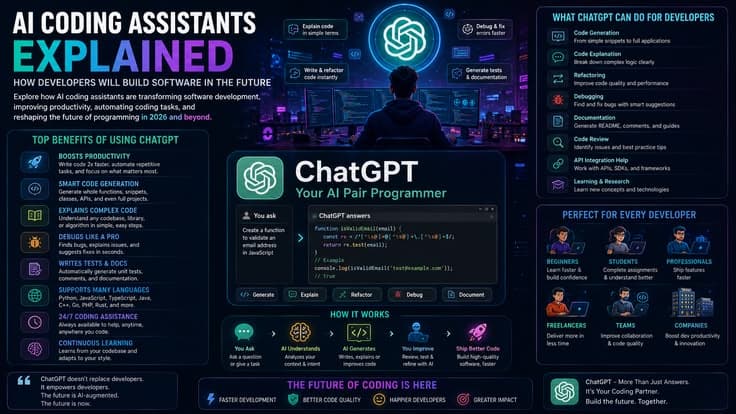
Neither Claude nor ChatGPT is universally "better" — rather, they excel at different tasks, and the right choice genuinely depends on what you primarily need an AI assistant for. Claude is generally regarded as superior for nuanced writing, coding agent tasks, and deep analysis, while ChatGPT functions as the best all-in-one toolkit thanks to its native image generation, web browsing, and voice capabilities.
Where Claude tends to win: its writing output tends to feel more natural and nuanced, which is why professional writers and marketers frequently default to Claude for content creation. It also features powerful local coding agents through Claude Code and is highly favored by developers for structuring complex code while reducing unnecessary boilerplate. Additionally, Claude is less likely to drift off-task during long, multi-step prompts, and its large context window supports genuinely deep document analysis without losing track of earlier details.
Where ChatGPT tends to win: it remains a true Swiss Army knife, as the only major platform that natively generates images, runs deep web searches, and offers built-in low-latency conversational voice mode all within one application. It is also significantly more forgiving of vague or incomplete prompts, and its free tier and rate limits tend to be more generous than Claude's equivalent offerings. The broader GPT ecosystem, including specialized custom GPTs and third-party integrations, is also currently unmatched in scale.
| Category | Claude | ChatGPT |
|---|---|---|
| Writing Quality | More natural, nuanced prose | Good, but can feel more formulaic |
| Coding | Strong agentic coding (Claude Code) | Strong general-purpose coding |
| Image Generation | Not available natively | Native via DALL-E |
| Voice Mode | Limited | Native low-latency voice |
| Long-Context Handling | Excellent, less drift | Good, can drift on very long tasks |
| Prompt Forgiveness | Prefers specific prompts | More forgiving of vague prompts |
| Ecosystem/Integrations | Growing (Connectors, MCP) | Very large (Custom GPTs, plugins) |
| Price (Paid Tier) | $20/month (Claude Pro) | $20/month (ChatGPT Plus) |
For deciding which to choose: opting for Claude makes sense if your work revolves around writing, editing, complex problem solving, or software development where output quality is the top priority. Opting for ChatGPT makes more sense if you want a versatile assistant for a bit of everything — web research, image generation, voice chatting, and quick task automation in a single app. Many professional users ultimately subscribe to both, using each tool for its respective strengths.
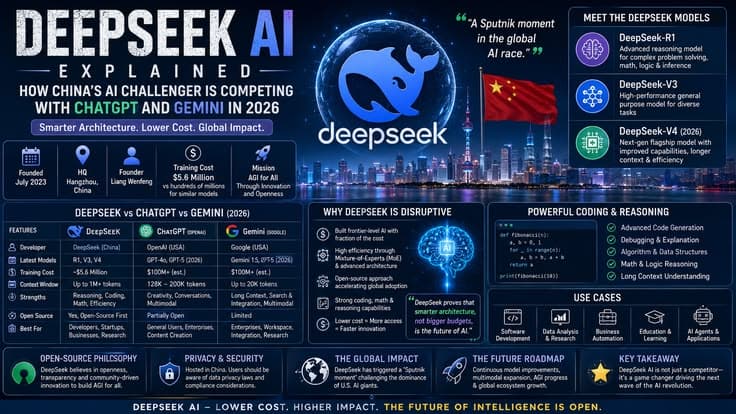
8. Claude vs DeepSeek for Developers
For developers specifically, Claude and DeepSeek represent two genuinely different value propositions. Claude excels in architectural reasoning, complex debugging, and handling large codebases, while DeepSeek dominates in cost-efficiency, raw coding throughput, and executing well-defined, repetitive tasks like scaffolding, unit tests, and API integrations.
Claude's advantages center on superior understanding of nuanced, multi-file frameworks and complex business logic, excellent handling of massive project directories without hallucinating details, and strong agentic capability for autonomous multi-step tasks like finding bugs, running tests, and opening pull requests across an entire repository. The clear tradeoff is cost — Claude's API and subscription pricing runs significantly higher per token than DeepSeek's.
DeepSeek's advantages center on unbeatable cost-per-token value, making it the preferred choice for budget-conscious developers, hobbyist tinkerers, and high-volume data workflows. It also scores exceptionally well on pure code generation and competitive programming benchmarks, particularly for writing standalone functions or focused algorithmic challenges. Because DeepSeek is developed by a company based outside the US/EU regulatory sphere, data residency and jurisdictional compliance considerations may matter for enterprise users with strict policies. The general tradeoff is that it stumbles more often than Claude on ambiguous, multi-file orchestration tasks that require genuine architectural judgment.
| Factor | Claude | DeepSeek |
|---|---|---|
| Architectural Reasoning | Superior | Good for well-defined tasks |
| Cost Per Token | Higher | Significantly cheaper |
| Pure Coding/Math Benchmarks | Strong | Excellent |
| Multi-File Orchestration | Excellent | Can struggle with ambiguity |
| Agentic Capability | Strong (Claude Code) | Improving rapidly |
| Enterprise Compliance | Generally favorable | May raise data residency questions |
Many experienced developers in 2026 use a hybrid routing workflow rather than committing exclusively to one model: DeepSeek's inexpensive API handles basic scripting, unit testing, and scaffolding, while complex architectural roadblocks or full code reviews get routed to Claude. Several modern coding agent IDEs even allow configuring DeepSeek as a backend model alongside Claude, providing a practical way to combine the cost efficiency of one with the architectural strength of the other.
9. Claude AI for Content Writing
Claude is widely considered one of the best AI tools available for content writing. Its advanced models excel at natural sentence variation, emotional resonance, and maintaining context over long documents, which generally makes its writing feel less robotic and more authentic compared to many alternatives.
Experienced content writers consistently agree that the most effective way to use Claude is as an editorial partner and thinking assistant rather than as a one-shot full-draft generator. Common workflows include outlining and structuring — asking Claude to analyze a raw idea and organize it into comprehensive sections before writing begins; tone matching, where uploading existing writing samples or defining a custom style lets Claude write in a specific brand voice; diagnosing early drafts by feeding them back to Claude and asking it to identify blind spots, repetitive phrasing, or places where the energy of the piece drops; repurposing long-form content such as articles or video transcripts into shorter formats like social threads or newsletters; and research synthesis, where source articles or PDFs are pasted in with instructions to summarize findings while strictly adhering to the provided source material.
For writers specifically, Projects and Artifacts become especially valuable tools. Projects let you create dedicated workspaces for different content styles, uploading audience profiles, brand guidelines, and writing samples so Claude can be trained for specific, repeatable tasks across an entire content calendar. Artifacts let Claude generate text, code, or layout drafts in a separate dedicated window alongside the chat, making it far easier to edit, export, or collaborate on a document without the chat history cluttering the workspace.
| Writing Task | How Claude Helps |
|---|---|
| Outlining | Organizes raw ideas into structured sections before drafting |
| Tone Matching | Mimics a defined brand voice from uploaded samples |
| Draft Diagnosis | Flags repetitive phrasing and weak sections |
| Repurposing | Converts long content into threads, posts, newsletters |
| Research Synthesis | Summarizes multiple sources while staying grounded in them |
| SEO Content | Structures content around topics, tables, and headers |
10. How Claude AI Helps Businesses
Beyond individual productivity, Claude has increasingly become embedded in enterprise and small-business workflows. Organizations use Claude for customer support automation, where it can draft or directly handle responses grounded in a company's documentation; internal knowledge management, where Projects act as a searchable, context-aware repository of company guidelines, past decisions, and institutional knowledge; and broader workflow automation, where Connectors and the Model Context Protocol (MCP) let Claude pull live data from tools like Slack, Jira, or Google Drive to keep responses grounded in current, real information rather than static training data.
For business operations specifically, Claude's combination of long context windows and strong reasoning makes it well suited to tasks like synthesizing market research from dozens of sources into a structured report, analyzing large datasets or spreadsheets to surface trends, and supporting cross-functional teams who need a shared, consistent source of guidance without each department reinventing prompts and instructions from scratch. Anthropic itself has published research noting that its own engineers and researchers most frequently use Claude for fixing code errors and learning about unfamiliar parts of their own codebase — a pattern that mirrors how many external engineering teams report using the tool day to day.
| Business Function | Claude's Role |
|---|---|
| Customer Support | Drafts or automates responses grounded in company docs |
| Knowledge Management | Projects act as a searchable institutional knowledge base |
| Market Research | Synthesizes multi-source research into structured reports |
| Workflow Automation | Connectors/MCP integrate live data from business tools |
| Data Analysis | Surfaces trends from large datasets and spreadsheets |
| Team Collaboration | Shared Projects provide consistent guidance across teams |
11. Claude AI Long Context Capabilities
Claude's context window — its capacity to hold and reference information within a single conversation — is one of its most distinctive technical advantages. Claude's most capable models can process extremely large volumes of text in one go, which in practice means uploading entire books, lengthy legal contracts, multiple financial reports, or hundreds of pages of PDFs simultaneously, with Claude maintaining state-of-the-art retrieval accuracy across all of that material rather than losing track of details buried in the middle of a long document.
This capability matters because many earlier-generation long-context AI models struggled with what researchers call the "needle in a haystack" problem — being able to recall a specific fact buried deep within a massive amount of provided context. Claude's architecture is specifically tuned to maintain high recall even at very large context sizes, which is part of why it performs so well on tasks like multi-file code review, comprehensive document analysis, and long-running, multi-step agentic tasks that require staying oriented across an extended session without losing the thread of what's already been established.
On the practical side, Claude also includes automatic context management within the standard chat interface: as a conversation approaches its token limit, Claude can automatically condense earlier portions of the discussion to free up working space, while still preserving the full chat history for the user to reference. Developers building on the API have access to even more granular context engineering tools, including server-side compaction and memory management features designed for building long-running autonomous agents.
| Context Capability | Practical Benefit |
|---|---|
| Large context window | Process entire books, codebases, or multi-document sets at once |
| High-recall retrieval | Accurately finds specific facts buried deep in long documents |
| Long-horizon reasoning | Stays oriented across extended, multi-step tasks |
| Automatic context management | Condenses older messages to free up space in long chats |
| API context engineering | Server-side compaction and memory tools for custom agents |
12. Claude AI Pricing Plans Explained
Claude offers a tiered pricing structure designed to serve everyone from casual individual users to large enterprise deployments. The Free plan gives users access to the conversational features, file uploads, and standard usage limits, making it a reasonable entry point for developers and teams who are new to AI and want hands-on experience with advanced language models at no cost. Paid tiers — Claude Pro and Claude Team/Enterprise — unlock significantly larger usage limits, access to more powerful underlying models, and collaborative features designed for teams working together within shared Projects.
It's worth noting that pricing details, usage limits, and specific plan features are updated periodically by Anthropic, so anyone making a purchasing decision should verify current details directly through Claude's official help center or pricing page rather than relying solely on older comparisons, since AI product pricing in this space tends to evolve quickly as new models and features are released.
| Plan | General Target User | Key Benefit |
|---|---|---|
| Free | Casual users, new developers | No-cost access to core conversational features |
| Pro | Power users, professionals | Higher usage limits, access to stronger models |
| Team | Small to mid-size teams | Shared Projects, collaboration features |
| Enterprise | Large organizations | Advanced security, admin controls, higher limits |
13. Future of Claude AI and Anthropic
Claude is owned by Anthropic, an independent artificial intelligence research and safety company headquartered in San Francisco. Anthropic is privately held and was founded in 2021 by former OpenAI executives and researchers, including CEO Dario Amodei and President Daniela Amodei. While major technology companies including Amazon and Google have invested billions of dollars into Anthropic, they hold only minority economic stakes, and to preserve the company's focus on AI safety and prevent excessive corporate control, Anthropic is governed by an independent Long-Term Benefit Trust that limits the voting power of any single investor.
Looking forward, the trajectory of Claude's development points toward deeper agentic capability — AI that doesn't just answer questions but autonomously plans and executes multi-step real-world tasks across a person's tools and files — alongside continued growth in context window size, reasoning depth, and integration breadth through the Model Context Protocol ecosystem. Anthropic has consistently positioned safety research as core to its mission rather than an afterthought, suggesting that future Claude releases will likely continue pairing capability gains with corresponding safety and reliability work, a balance the company has maintained as a defining part of its identity since founding.
| Company Fact | Detail |
|---|---|
| Founded | 2021 |
| Headquarters | San Francisco, California |
| Founders | Former OpenAI executives, including Dario and Daniela Amodei |
| Governance | Independent Long-Term Benefit Trust |
| Major Investors | Amazon, Google (minority stakes) |
| Core Mission | AI safety research paired with frontier model development |
14. Conclusion: Why Claude Stands Out in 2026
Claude has carved out a distinct identity in a crowded AI landscape by prioritizing depth over breadth — favoring careful reasoning, natural writing quality, and reliable long-context handling over being the flashiest all-in-one toolkit. For developers, its combination of agentic coding through Claude Code and genuinely strong architectural reasoning makes it a favored choice for serious software projects. For writers and content creators, its more natural prose and flexible Projects system make it feel less like a tool fighting against your voice and more like a collaborator amplifying it. For businesses, its long context capabilities and growing integration ecosystem position it as infrastructure for knowledge work rather than just a novelty chatbot.
Whether Claude is the single right choice depends entirely on what you need most. If your work is fundamentally about high-quality writing, complex problem solving, or software development, Claude's particular strengths are likely to deliver more value than competing alternatives. If you need a single tool that also generates images, browses the web fluidly, and handles natural voice conversation, you may find yourself reaching for a complementary tool alongside Claude. Many of the most effective AI users in 2026 have stopped thinking in terms of picking one winner and instead build a toolkit — and Claude has earned a firm, durable place within that toolkit for the kind of deep, careful work that benefits most from a thoughtful collaborator rather than a flashy generalist.